Knowledgebase article 94
Mobile Phone COVID-19 Tracking
Here is information regarding Apple's iPhone iOS 3.5 + setting regarding contact tracing for COVID-19.
Anonymous COVID-19 contact tracing via Bluetooth (not GPS location) is available with iOS 13.5.
Note: The “COVID-19 Exposure Logging” toggle is disabled by
default in iOS 13.5. This does not collect any data without you
installing and authorizing a local health authority app. Apple and
Google’s exposure notification system is completely opt-in.
How to turn on/off COVID-19 contact tracing on iPhone
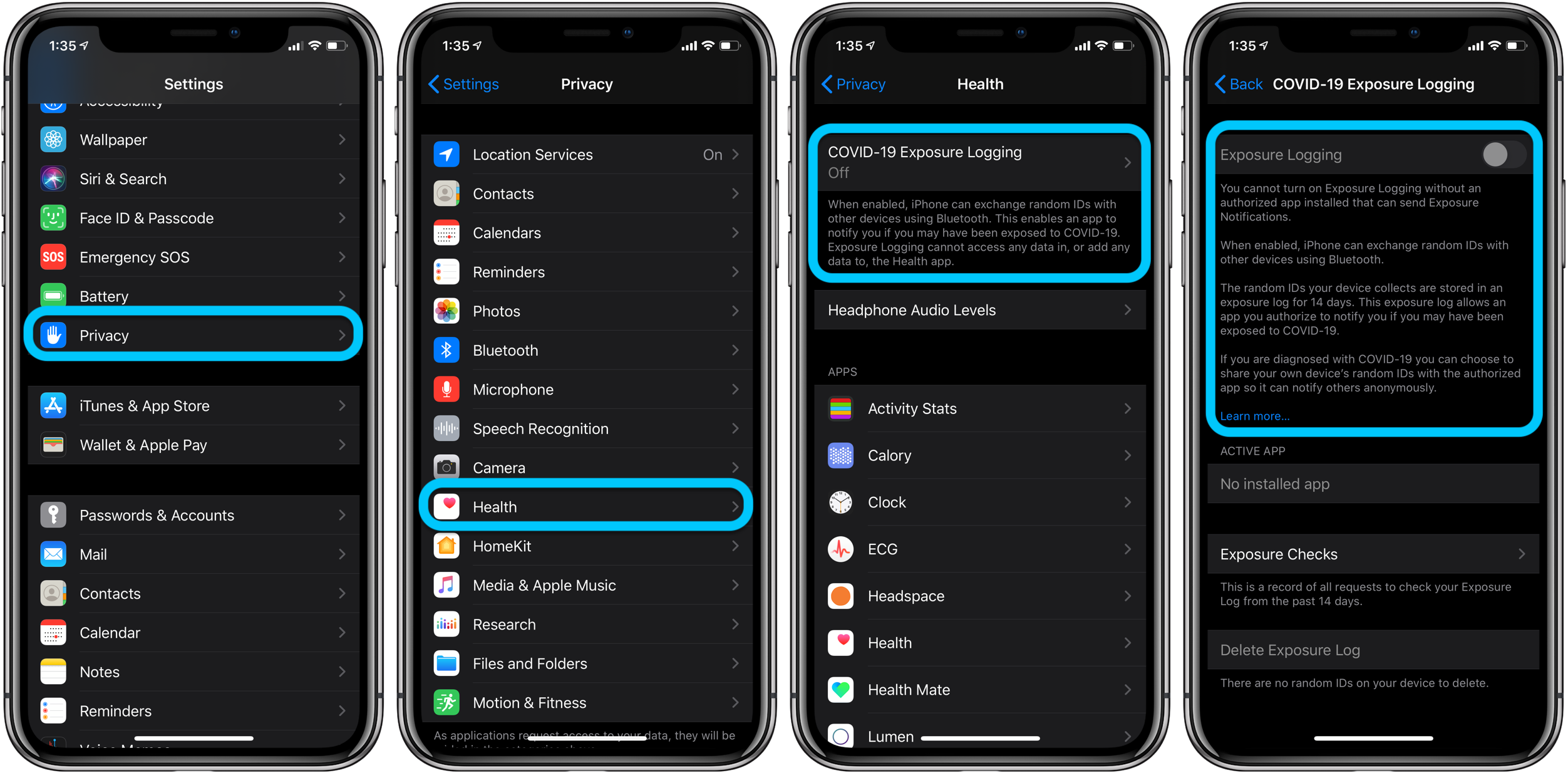
- On iOS 13.5 and later, head to Settings on your iPhone
- Swipe down and tap Privacy
- Now choose Health
- Tap COVID-19 Exposure Logging at the top
- For now, you’ll need an authorized app before Exposure Notifications can be turned on. But then you can tap the toggle to turn notifications on or off
- You can also delete the exposure logs manually at any time at the bottom of the settings
- Follow along here for when apps from health authorities become available in the U.S.
Here’s how these steps look:
Information taken from: https://9to5mac.com/2020/05/19/how-to-turn-on-off-covid-19-contact-tracing-iphone-ios/
Group I.T. HelpDesk
Last modified Aug 31, 2020
Type Public
Viewed 336