Knowledgebase article 110
Google Workspace - Gmail Default Reply Behavior
If you want to turn off the default “Reply All” feature in Google Mail here are some step by step instructions:
1. Log in to your Gmail account. Navigate to the top right corner of your screen, and click the gear button which stands for settings. Then, click “See All Settings.”

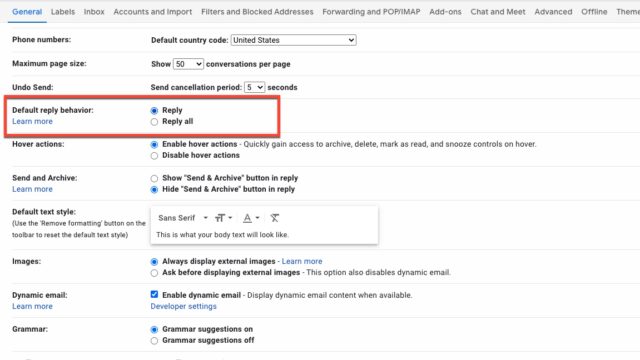
2. Scroll down the list of available settings modifications, and click on reply instead of reply all for the default reply behavior.
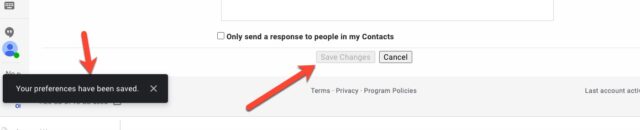
3. Once you have modified your settings, you should get a notification that your settings have been changed. Alternatively, scroll to the bottom of your screen where you will see a button to manually save your changes.
Reply
Reply All
Gmail
Email
E-Mail
Google Workspace
Group I.T. HelpDesk
Last modified Mar 26, 2026
Type Public
Viewed 6